How To Make An Animation Video Using AI: Step-by-Step Guide For Beginners & Creators

Animation is no longer limited to professional studios with large budgets and complex software. Thanks to artificial intelligence (AI), anyone can create high-quality animation videos with minimal technical skills. Whether you are a content creator, marketer, educator, business owner, YouTuber, or social media influencer, AI-powered animation tools have made video production faster, easier, and more affordable than ever before.
In recent years, AI animation platforms have transformed the way videos are created. Instead of spending weeks designing characters, creating scenes, recording voiceovers, and editing footage, creators can now automate much of the process. AI can generate scripts, create characters, produce voiceovers, animate movements, generate backgrounds, and even edit videos automatically. This allows beginners to create professional-looking animated videos without learning advanced animation techniques.
In this comprehensive guide, you will learn exactly how to make an animation video using AI from start to finish. We will cover the essential steps, including choosing the right AI animation software, creating a script, generating characters, adding voiceovers, animating scenes, editing your video, and exporting the final project. You will also discover practical tips to improve video quality, avoid common mistakes, and speed up your workflow.
Whether you want to create educational content, marketing videos, explainer animations, storytelling videos, product demonstrations, or social media content, this guide will help you understand the complete AI animation creation process. By following these simple steps, you can turn your ideas into engaging animated videos that capture attention and deliver your message effectively.
Let's explore how AI is revolutionizing animation and how you can start creating impressive animation videos today.
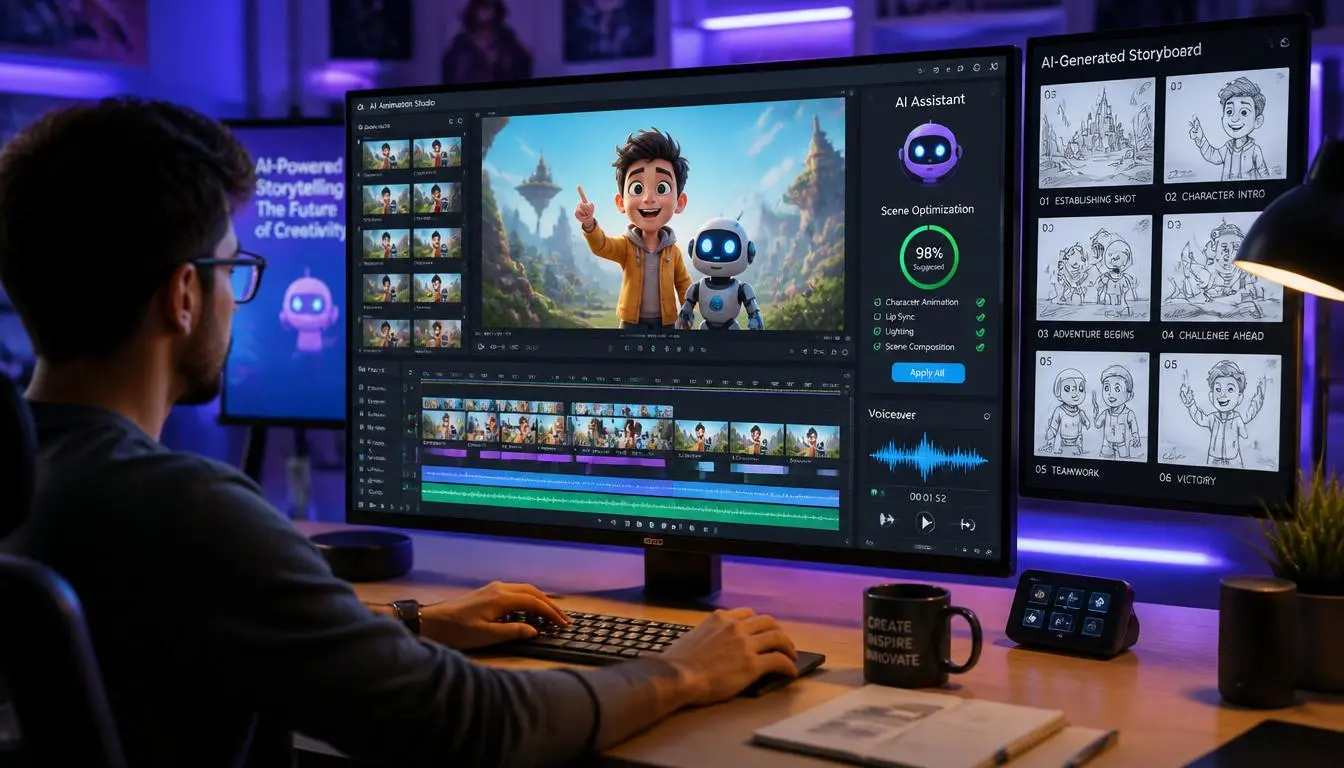
How To Make An Animation Video Using AI (Step-by-Step Guide)
Artificial Intelligence has changed the animation industry dramatically. Tasks that once required professional animators, voice artists, video editors, and graphic designers can now be completed using AI-powered tools.
The best part is that most AI animation platforms are designed for beginners. Even if you have never created a video before, you can produce professional animations by following a simple workflow.
What Is AI Animation?
AI animation refers to the process of using artificial intelligence tools to automate various aspects of video creation.
AI can help with:
- Script writing
- Character generation
- Voiceover creation
- Scene creation
- Lip-syncing
- Motion animation
- Video editing
- Background music generation
- Subtitle creation
Instead of manually creating every frame, AI automates repetitive tasks and significantly reduces production time.
Benefits of Using AI for Animation
Before diving into the creation process, it's important to understand why AI animation has become so popular.
Faster Production
Traditional animation can take days or even weeks to create. AI tools can reduce production time to just a few hours.
Lower Costs
Hiring animators, voice artists, and editors can be expensive. AI platforms provide multiple features within a single subscription.
Beginner-Friendly
Most AI animation tools use drag-and-drop interfaces, making them accessible to non-designers.
Scalability
Businesses and creators can produce multiple videos quickly without increasing production costs significantly.
Consistent Quality
AI helps maintain visual consistency across scenes, characters, and voiceovers.
Step 1: Define Your Video Goal
Every successful animation begins with a clear objective.
Ask yourself:
- What message am I trying to communicate?
- Who is my target audience?
- What action should viewers take after watching?
- Which platform will I publish on?
Examples
Educational Video
- Teach a concept
- Explain a process
- Share knowledge
Marketing Video
- Promote a product
- Generate leads
- Increase brand awareness
YouTube Content
- Storytelling
- Tutorials
- Entertainment
A clear goal helps shape every part of your animation.
Step 2: Create a Strong Script
The script is the foundation of your animation.
Many AI tools can generate scripts automatically, but human editing is still essential for accuracy and clarity.
Good Script Structure
Hook
Capture attention within the first few seconds.
Example:
"Did you know you can create professional animation videos without learning animation?"
Main Content
Explain the topic clearly.
Break information into short sections.
Call-to-Action
Tell viewers what to do next.
Examples:
- Subscribe
- Visit your website
- Download a guide
- Follow your page
Script Writing Tips
- Use simple language
- Keep sentences short
- Focus on one idea at a time
- Write conversationally
- Avoid jargon when possible
Step 3: Choose an AI Animation Tool
Selecting the right platform is crucial.
Popular AI animation tools include:
AI Avatar Video Tools
Useful for:
- Presentations
- Corporate training
- Educational videos
Features:
- AI presenters
- Text-to-video
- Voice generation
Character Animation Tools
Useful for:
- Storytelling
- Cartoons
- Explainer videos
Features:
- Character libraries
- Motion templates
- Scene customization
Text-to-Animation Platforms
Useful for:
- Marketing videos
- Social media content
- Quick explainers
Features:
- Automated scene generation
- AI voiceovers
- Stock assets
Choose a tool based on your content goals, budget, and desired style.
Step 4: Generate or Design Characters
Characters make animation more engaging and relatable.
Most AI animation platforms allow you to:
- Choose pre-made characters
- Customize appearance
- Adjust clothing
- Modify facial expressions
- Create branded avatars
Character Design Tips
- Match character style to audience
- Maintain consistency
- Avoid excessive details
- Use expressive facial features
For educational videos, professional-looking avatars often work best.
For storytelling videos, more creative characters may be appropriate.
Step 5: Create Scenes and Storyboards
A storyboard is a visual plan for your animation.
It helps organize scenes before production begins.
Basic Storyboard Elements
Scene 1
Introduction
Scene 2
Problem explanation
Scene 3
Solution presentation
Scene 4
Key benefits
Scene 5
Conclusion and CTA
AI tools can automatically generate scenes from scripts, but reviewing them manually improves quality.
Step 6: Add AI Voiceovers
Voiceovers bring your animation to life.
Modern AI voice generators can create natural-sounding speech in multiple languages and accents.
Voiceover Best Practices
- Match voice tone to audience
- Use clear pronunciation
- Maintain consistent pacing
- Avoid overly robotic voices
Types of Voice Styles
- Professional
- Friendly
- Educational
- Conversational
- Energetic
Always preview and adjust voice settings before final production.
Step 7: Animate Characters and Objects
This is where your video becomes dynamic.
AI animation software can automate:
- Walking
- Hand gestures
- Facial expressions
- Lip synchronization
- Camera movements
Animation Tips
Use Natural Movements
Overly exaggerated motion can distract viewers.
Keep Transitions Smooth
Avoid sudden scene changes.
Focus Attention
Use movement to highlight important information.
Maintain Visual Balance
Don't overload scenes with too many animated elements.
Step 8: Add Background Music and Sound Effects
Audio significantly impacts viewer engagement.
AI-powered tools can suggest suitable background music automatically.
Good Music Characteristics
- Matches content mood
- Does not overpower narration
- Maintains consistent volume
Sound Effects Can Enhance
- Transitions
- Button clicks
- Character actions
- Scene changes
Use effects sparingly to avoid distracting viewers.
Step 9: Add Text, Captions, and Graphics
Captions improve accessibility and engagement.
Research consistently shows that many users watch videos with sound off, especially on social media platforms.
Include
- Headings
- Key points
- Statistics
- Captions
- Call-to-action text
Graphic Elements
You can add:
- Icons
- Charts
- Infographics
- Logos
- Illustrations
Keep designs clean and easy to understand.
Step 10: Review and Edit the Video
Never publish the first version without reviewing it.
Check For
- Script errors
- Pronunciation mistakes
- Timing issues
- Animation glitches
- Audio synchronization
- Grammar mistakes
Watch the video multiple times from the perspective of your target audience.
Step 11: Export the Final Video
Once satisfied, export the video using appropriate settings.
Recommended Formats
MP4
Most widely supported format.
1080p Resolution
Ideal for YouTube, websites, and social media.
4K Resolution
Best for premium-quality projects.
Platform Optimization
YouTube
- Horizontal format (16:9)
Instagram Reels
- Vertical format (9:16)
TikTok
- Vertical format (9:16)
- Square or vertical format
Common Mistakes To Avoid
Many beginners make these mistakes when creating AI animation videos.
Using Generic Scripts
Always personalize AI-generated content.
Overloading Scenes
Too many visual elements can confuse viewers.
Ignoring Audio Quality
Poor audio reduces engagement significantly.
Excessive Effects
Animations should support the message, not distract from it.
Skipping Review
Even advanced AI systems can make mistakes.
Tips To Make Professional AI Animation Videos
Keep Videos Concise
Shorter videos often perform better.
Use Strong Storytelling
Stories create emotional engagement.
Maintain Brand Consistency
Use consistent colors, fonts, and messaging.
Focus on Audience Needs
Provide value rather than simply showcasing features.
Test Different Formats
Experiment with:
- Short-form videos
- Explainers
- Tutorials
- Product demos
- Educational content
Future of AI Animation
AI animation technology continues to evolve rapidly.
Emerging capabilities include:
- Real-time animation generation
- Advanced facial expressions
- Improved voice cloning
- Automated storytelling
- Personalized video creation
- Hyper-realistic avatars
As these technologies improve, creating high-quality animation videos will become even more accessible.
Conclusion
Creating an animation video using AI is easier today than ever before. With the right workflow, beginners and experienced creators alike can produce professional-quality animations without extensive technical expertise.
The process begins with defining a clear goal, writing an effective script, selecting an AI animation platform, creating characters, generating scenes, adding voiceovers, animating content, and refining the final video through careful editing.
While AI significantly simplifies production, the most successful videos still rely on human creativity, storytelling, and strategic planning. AI should be viewed as a powerful tool that enhances creativity rather than replacing it.
By following the steps outlined in this guide, you can create engaging, professional, and impactful animation videos for education, marketing, entertainment, and business purposes. Start small, experiment with different styles, and continuously improve your workflow to achieve the best results.